Tron is a decentralized blockchain platform founded in 2017 by Justin Sun, focused on building a global digital content entertainment system. It offers high throughput, scalability, and low transaction costs, making it one of the most popular networks for dApps and DeFi.
TRX is the native cryptocurrency of the Tron network. It powers transactions, smart contracts, and governance on the platform. Tron is also the largest host of USDT (Tether) transactions, processing billions in stablecoin transfers daily with minimal fees.
Zelcore is the easiest and most secure way to store and interact with Tron:
You hold your keys, you control your TRX. Zelcore is fully non-custodial.
Manage Tron alongside Bitcoin, Ethereum, and 100K+ other assets in one wallet.

Use Zelcore on desktop, mobile, and browser (Chrome, Brave, Edge) with seamless sync between devices.
Manage TRX and TRC-20 tokens including USDT, all in one unified wallet interface.
Buy, sell, swap, and trade crypto directly from your wallet.
Multi-layer encryption and industry-leading security standards protect your funds.
Store TRX securely in a non-custodial wallet.
Send & receive TRX with lightning-fast transactions and minimal fees.
Buy, Sell, and Swap TRX for other cryptocurrencies directly inside Zelcore.
Manage TRC-20 tokens including USDT and other Tron-based assets.
Track prices with real-time market data and portfolio insights.
Access Web3 and explore decentralized apps (dApps) across supported blockchains.
Download Zelcore - Available on iOS, Android, Windows, Mac, Linux, and browser extensions (Chrome, Brave, Edge).
Create your wallet - Non-custodial setup using BIP-44 in just a few seconds.
Add Tron – Start sending, receiving, and managing TRX instantly.
Zelcore makes it easy to unlock the full potential of Tron - all in one secure and powerful wallet.
Explore Zelcore walkthroughs and step-by-step guides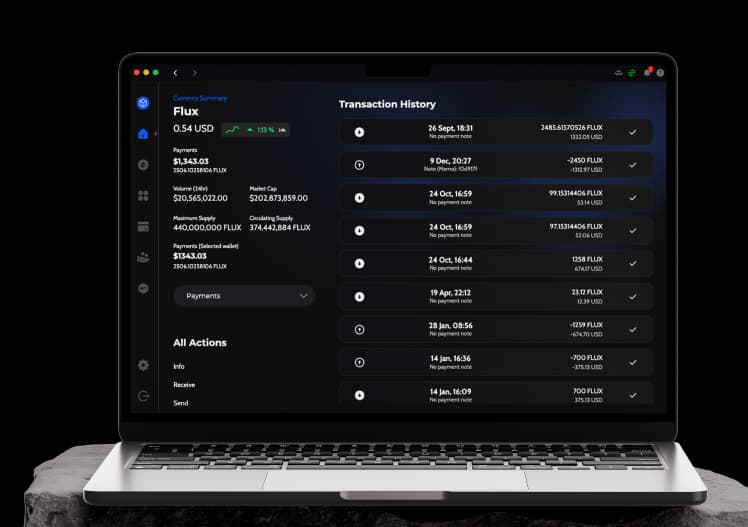
Non-custodial — you own the private keys
100,000+ assets across 80+ blockchains
Free on Windows, macOS, Linux, iOS, Android, and browser
Biometric unlock and optional decentralized 2FA
1,200+ swap pairs via integrated exchanges
Hardware wallet support on desktop (Ledger, Trezor)
Zelcore is a self-custody Tron wallet with native TRC-20 support, TRX freezing for Bandwidth and Energy, and Super Representative voting. Unlike exchange wallets that lend or lock your TRX in a pool, Zelcore keeps your keys on your device — you stake, vote, and transact directly from self-custody.
Zelcore supports 80+ chains — here are a few you might like